Coming soon
The inbox that runs
your household
Built to take the mental load off whoever is carrying it. Forward the school email, the activity newsletter, the appointment confirmation. Events, todos and reminders sort themselves out, and everyone in the house sees the same plan.
Free early access. No spam, ever.
Every household gets a shared family email address of its own. Forward anything to it, or connect Gmail, iCloud, Outlook or most other email accounts and it picks the household mail out of the inbox you already use.
Not one more app to keep up with
Most family apps hand you an empty calendar and a blank list, and somebody still has to read the email and type it all in. That's one more thing to look after. household.email starts from the email that's already arriving, so the reading, copying and chasing come off your plate instead of moving somewhere new.
Today
- School
- Swim club
- Dentist
- Invoices
One parent
Reads every email, finds the date, decides what it means, remembers it, reminds everyone else
- Calendar app
- Todo list
- Phone reminders
- Group chat
- Note on the fridge
With household.email
- School
- Swim club
- Dentist
- Invoices
Your household inbox
Reads the email and suggests the calendar event and the todo for you to confirm
One shared plan
Calendar, todos, reminders and chores, in one place every adult in the house can see
What comes off your plate
- Reading every newsletter for the one date that matters
- The dates and deadlines are pulled out and waiting for you on the email.
- Copying the details into the calendar and the todo list
- Confirm the suggestion and it's on the shared calendar or list.
- Being the only one who knows what's on this week
- Everyone can see what arrived and who is dealing with it.
- Asking "did you see the email about swimming?"
- The other adult saw it arrive, in the same household inbox.
And it works alongside what you already use. Keep reading mail where you read it now, and add the household calendar to Apple Calendar, Google Calendar or Outlook.
Every home has an invisible manager
The person who remembers the dentist appointment, notices the soap is running low, and tracks whose turn it is to take out the trash. That job shouldn't fall on one person.
Most of it arrives by email. Excursion notices and uniform reminders from school. Term dates from the swimming club. Appointment confirmations, invoices, the newsletter with the one date that matters buried in paragraph six. It all lands in one parent's inbox, and that parent becomes the only person who knows what's happening this week.
Reading it, decoding it, and copying the important bits into a calendar is hours of admin every week. If that person misses one, the whole household misses it.
Primary caregivers say they carry 75% of the mental load, and parents put 30.4 hours a week into scheduling and planning for the family.
Forward it once. It handles the rest.
Forward one email and we read it for you, then suggest the calendar event, the todo with its deadline, and the reminder. Email to calendar and todo list in one step. Shared with the whole household, not stuck in one person's inbox.
The email you forward
Year 4 excursion — Maritime Museum
From: office@brookvale-primary.edu
To: smiths@household.email
Dear families,
Year 4 will visit the Maritime Museum on Thursday 14 May, departing school at 8:45am and returning by 3:00pm.
Students need a packed lunch, a water bottle and their school hat. Please return the signed permission slip by Friday 8 May.
Kind regards,
The school office
What you see before anything is created
Maritime Museum excursion
Year 4 excursion
Return the permission slip
Field trip permission form needs signature
Nothing is filed without you seeing it first. Review what was picked up, then keep it or change it.
A shared family inbox, built around your household email address
One address for the whole household, one place the mail lands, and everyone can see what has arrived and who is dealing with it.
Give out the family address, or connect the inbox you already read. Most families end up doing both. Both ways the mail gets in.
Email in, plan out
Forward a school notice and the dates in it come back as events on your shared family calendar, todos and reminders.
Connect the inbox you already have
Keep the address the school already has. Link Gmail, iCloud or Outlook and that sender's mail comes into the household on its own.
A family chore chart that rotates itself
Chores rotate across adults and children on their own, so nobody has to remember whose turn it is.
One app, not five
Inbox, calendar, chores, todos and shopping lists in one place, instead of group texts and sticky notes.
Built for real families
Children take their turn and show up on the calendar without needing a login, while the adults handle the mail.
Shared shopping lists
One shared shopping list the whole household can add to, on web or mobile, ticking off as you shop.
From the inbox to everyone's week
In the order the household meets it: the mail comes in, a plan comes out of it, the everyday jobs sit alongside, and everyone works from the same week.
-
1 The mail comes in
One inbox the whole household can see
Mail sent to the family address, and mail from the senders you've picked out of your own inbox, lands in one shared place. Each message gets a one-line summary and stays flagged until somebody deals with it.
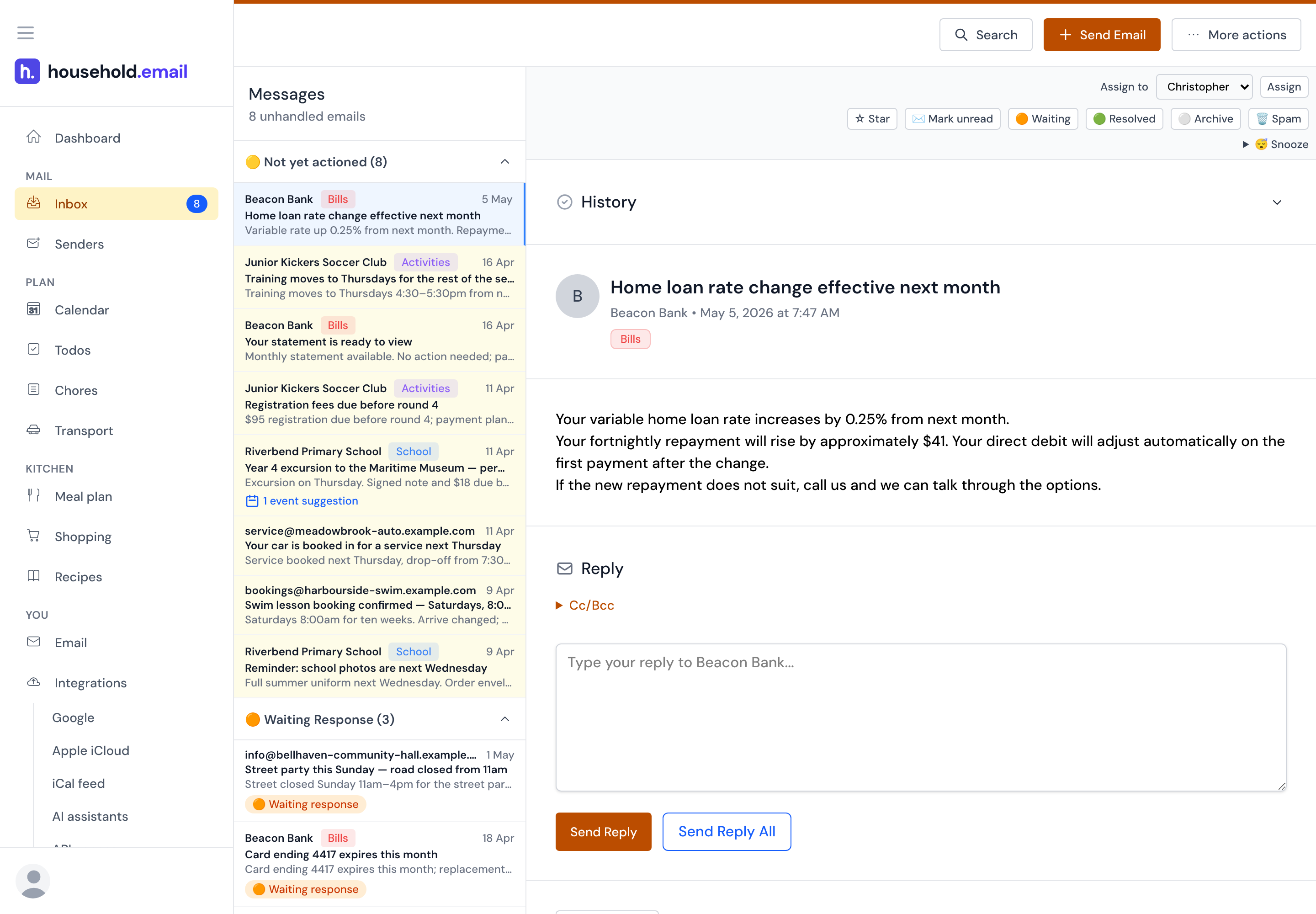
The shared queue: who is dealing with what, and what nobody has picked up yet. -
2 A plan comes out of it
Dates and deadlines, pulled out of the mail
Open an email and the events, todos and deadlines in it are waiting as suggestions. Keep them or change them first. Nothing goes onto the shared calendar or todo list until someone does.
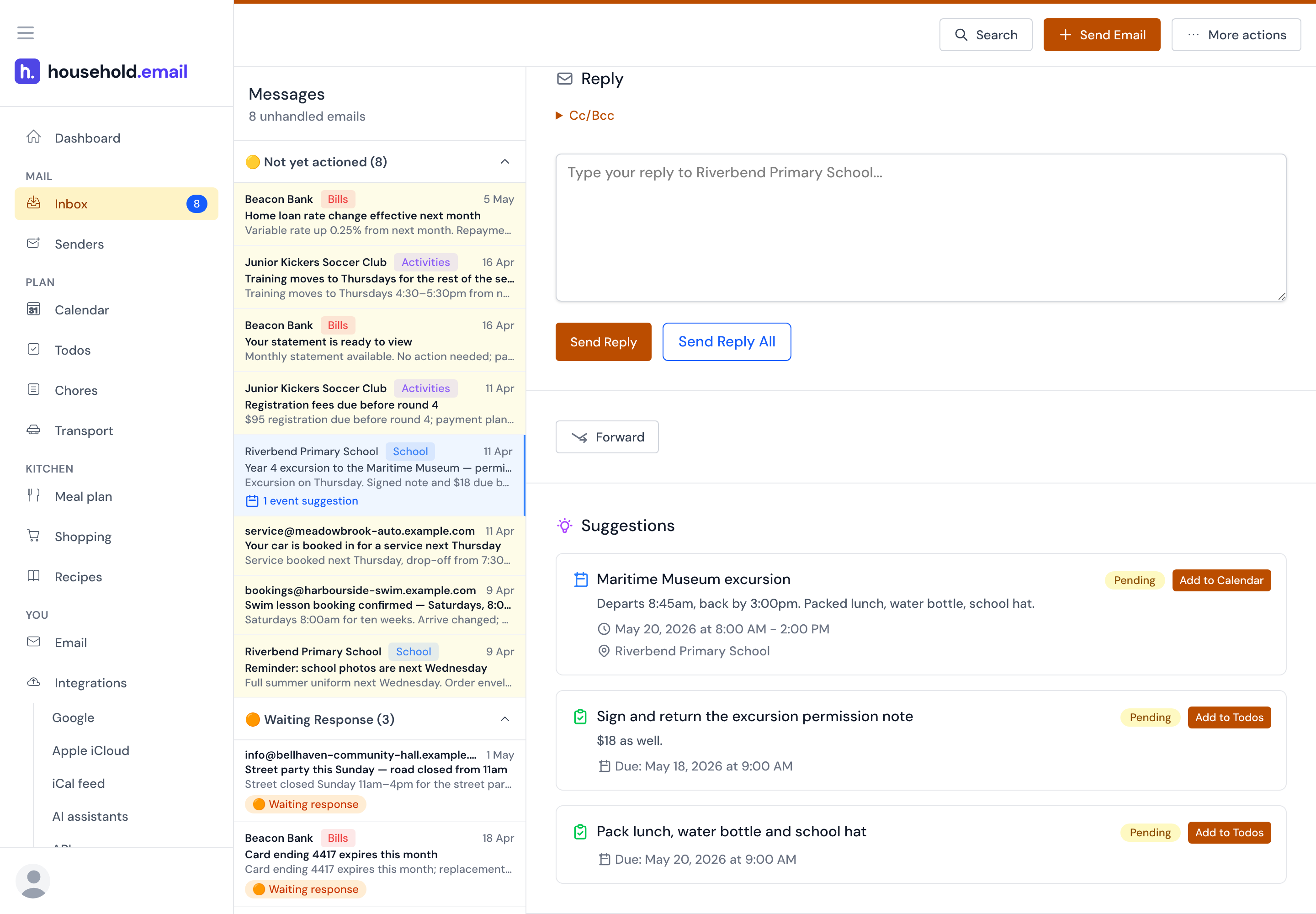
The suggestions sit under the email they came from, marked Pending until someone keeps them. 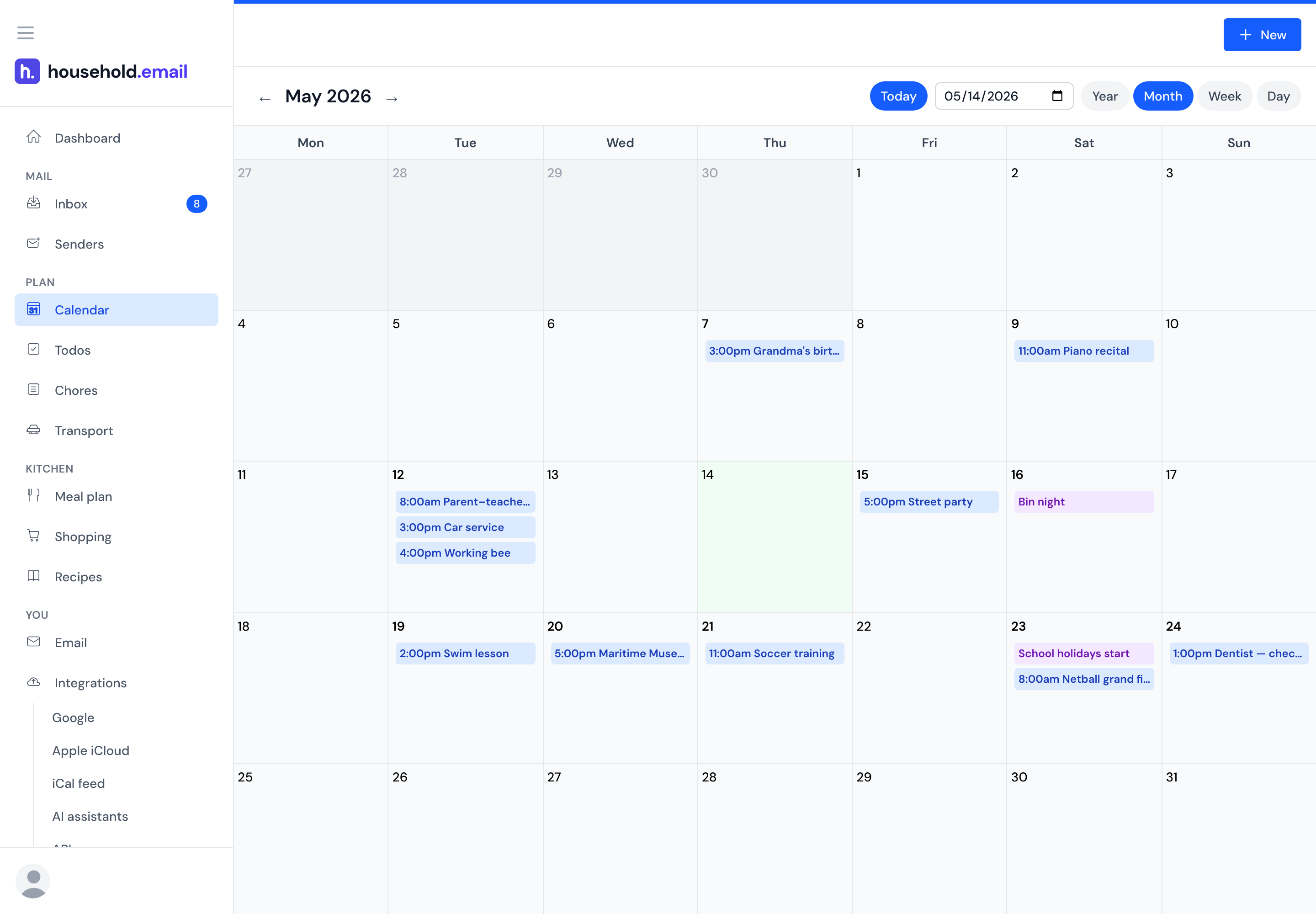
The shared calendar, which Apple Calendar, Google Calendar or Outlook can subscribe to. -
3 The jobs that never arrive by email
Chores and shopping, shared the same way
Not everything comes in the mail. Chores rotate through the household, adults and children alike, without anyone keeping track, and the shopping list is the same list for everyone.
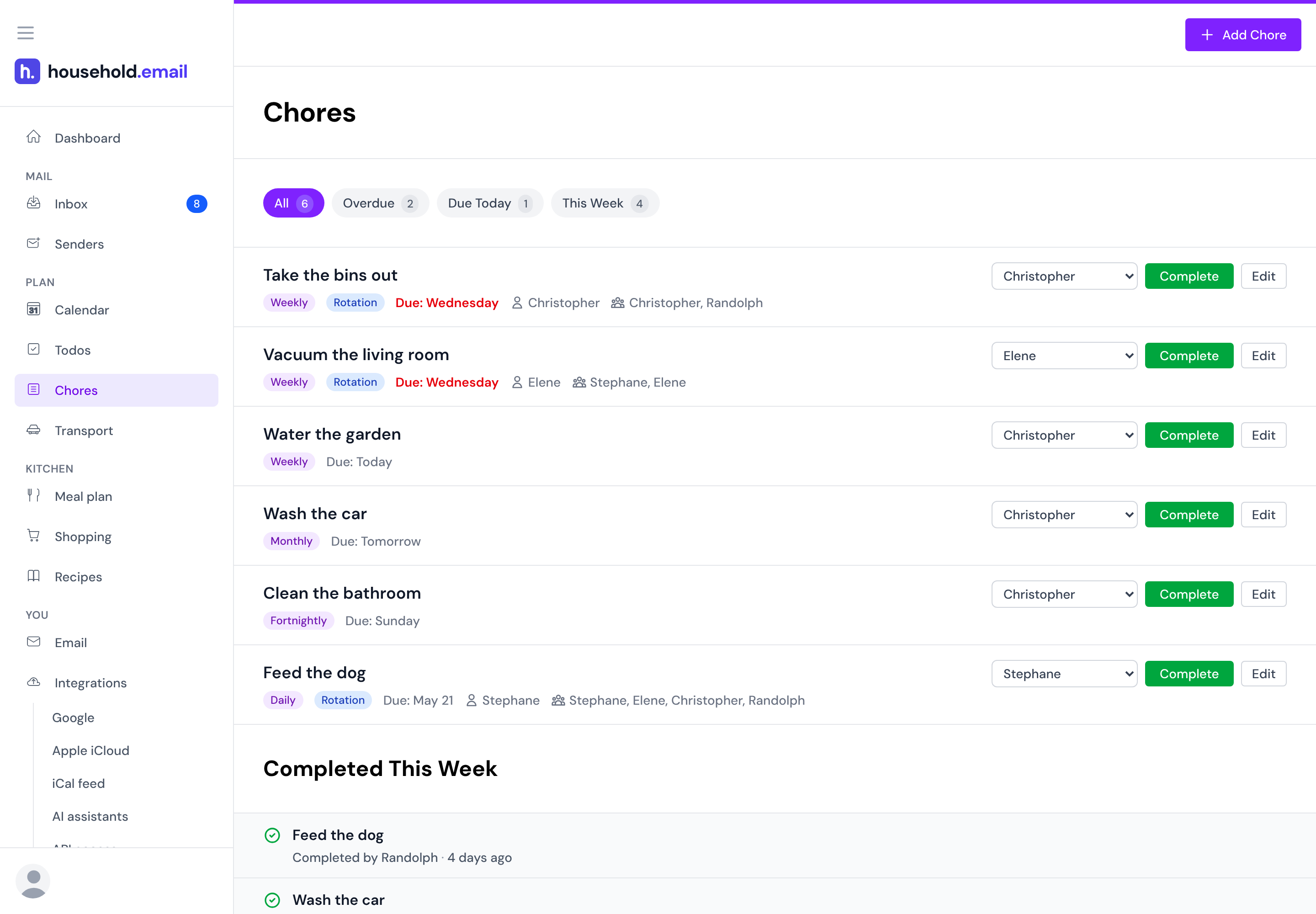
Set the rotation once, and it keeps track of whose turn is next. 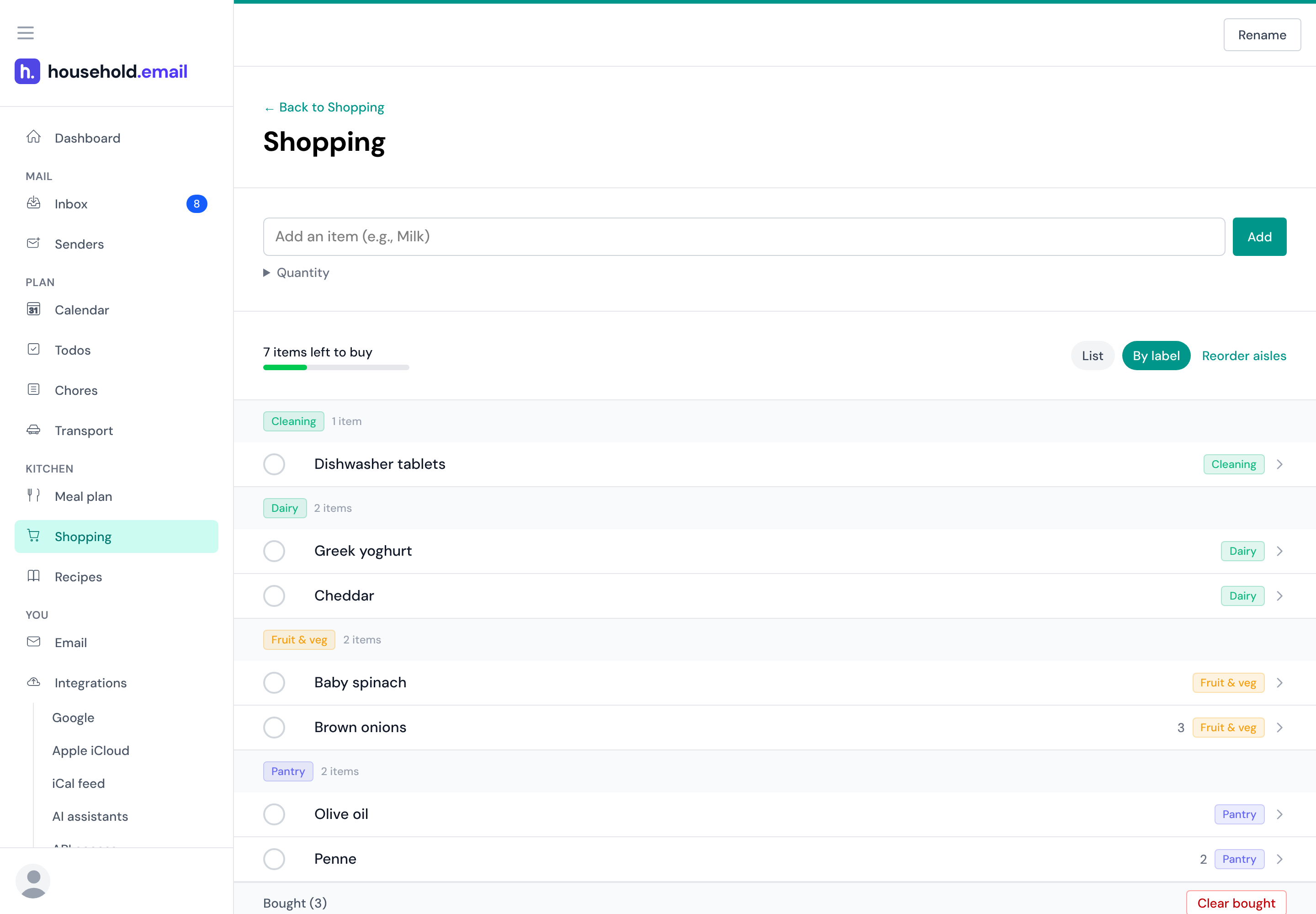
Grouped by aisle, and ticked off by whoever is at the shops. -
4 Everyone sees it
The whole week on one screen
The dashboard brings it together: the mail nobody has dealt with, what is on this week, and a count on everything else: todos, chores, shopping. Nobody has to ask the person who knows.
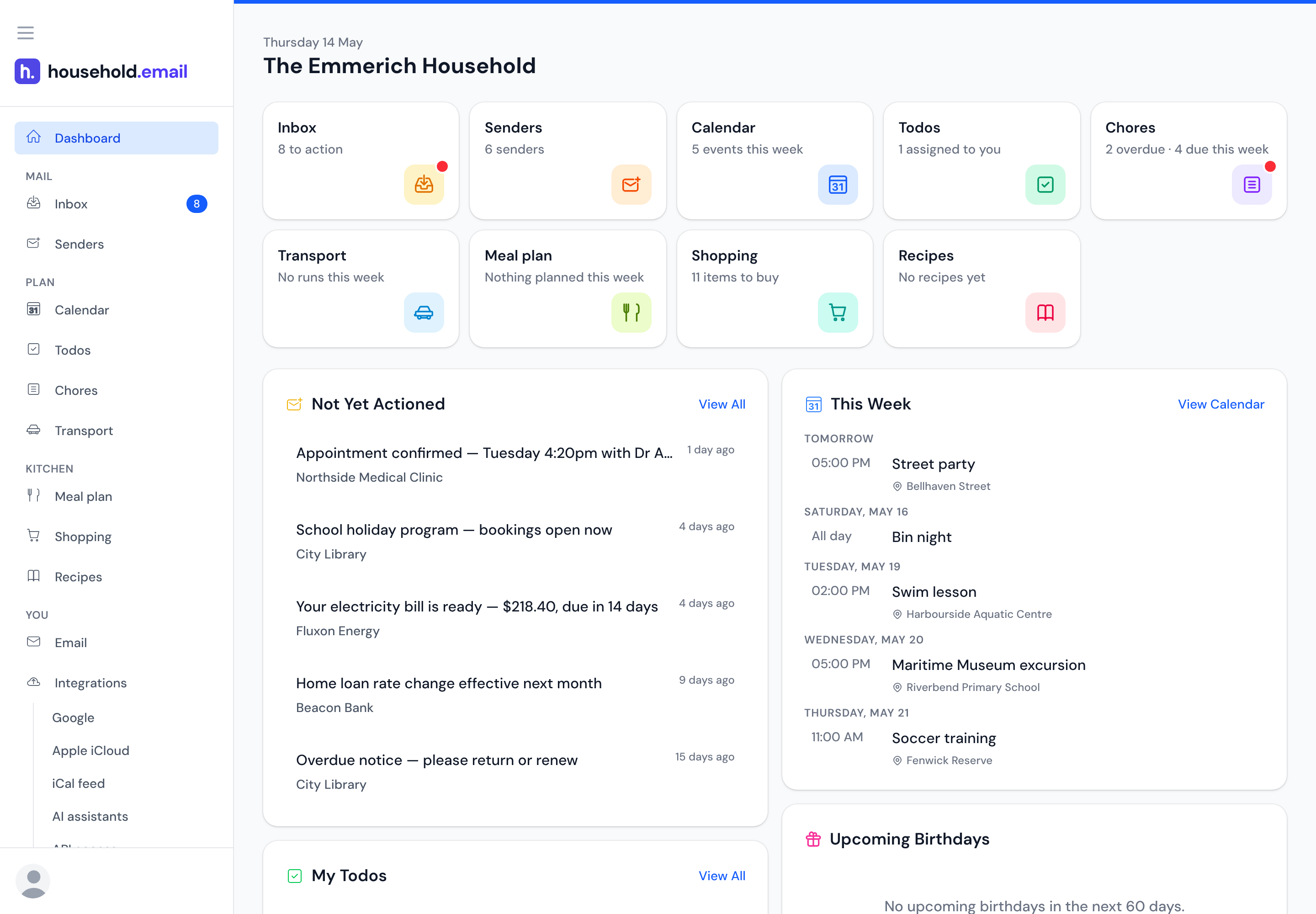
A tile for every part of the household, over the mail nobody has dealt with and the week ahead.
We're asking to read your household's mail
That's a lot to ask. Here's what we will and won't do with it.
No ads
There are no ads in household.email and no plans to add them. It's free while we're in early access and paid for by subscriptions after that — never by selling your attention.
We never sell your data
Not to advertisers, not to data brokers, not to anyone. Your household's email, calendar and lists are yours — we're a subscription, not a data business.
Your email never trains an AI model
We use AI to pull dates and tasks out of your mail. The AI companies we use are bound by their terms not to train their models on what we send them. We don't train models on it either.
You can leave whenever you want
Disconnect Gmail or any other email account you've connected, at any time, and we stop reading. When you want to go entirely, there's a delete button on your account page that removes your household and everything stored in it — email, attachments, calendars, todos, chores and lists — for good. No email to write, no waiting on us.
The details are in our privacy policy, written in plain English.
Why not just use what's out there?
Because all of them start with an empty box you have to type into. household.email starts with the email that caused the job in the first place, and turns it into a shared plan, fair chore rotation and a family calendar.
Shutting down December 2026
Maple
The only other product built on a household email address. Maple was acquired by Wander and sunsets on 31 December 2026, after which accounts become inaccessible. Here's where its families go.
Coming from MapleFamilyWall
Its Magic Import now reads forwarded email with AI and adds the events to the shared calendar, but only on Premium. That only brings the event in: the email itself lands nowhere you can read, search or answer. Here it stays in a shared inbox you can read, reply to and send from.
Compare with FamilyWallCozi
Twenty years of shared calendar and lists, and email still only goes out, as an agenda digest. Nothing reads the mail coming in. The free tier is ad-supported and lets you enter events 30 days ahead; the rest is Cozi Gold at $39 a year.
Compare with CoziSkylight
A $299.99–$599.99 wall screen, plus $79 a year for Plus. Its Sidekick AI turns forwarded emails, PDFs and photos into events, meal plans and to-dos. But it only pulls the details out, with no inbox to go back to. Same shared plan here, on the tablet you already own.
Compare with SkylightComing from something else? We've written it up for Ohai, Hearth, OurHome and Todoist too.

Why I built this
Hi, I'm Mark. Our household, like every family I've asked, has cobbled together something of its own. Maybe a shared email address, maybe a shared calendar. Everyone has their own personal addresses, and all of it has the same hole in it: it's hard to see what anyone else is doing.
There has to be a better way, so I'm building the one I wanted for my own house: a tool that helps us get on top of all the admin.
The questions people ask first
Handing over the household's mail is a big ask. Here's what actually happens.
What happens to the original email?
What do the kids see?
Is it Gmail only?
Can I export my data?
Forward the email. Forget the admin.
Not another app to manage. Fewer things to keep track of. Join the waitlist for free early access.